

Ultimate Guide to U.S. Stock Alerts & Notification Apps (2026)
In the fast‑paced world of U.S. stock trading, timely alerts and reliable notifications can mean the difference between capitalizing on opportunity and missing out. With markets moving at lightning speed, investors and traders increasingly rely on stock alert apps to stay informed, react quickly, and manage risk.
This comprehensive guide explains everything you need to know about U.S. stock alert and notification apps—including features, top providers, a comparison table, use cases, pros & cons, and how to choose the best app for your investment strategy.
Table of Contents
What Are Stock Alerts & Why They Matter
How Market Notifications Work
Top U.S. Stock Alert Apps (2026 Edition)
Comparison Table: Features & Pricing
Benefits of Using Alerts
Risks & Limitations
Which Is Right for You?
How to Get Started
Author Bio
Risk Disclaimer
CTAs
What Are Stock Alerts & Why They Matter
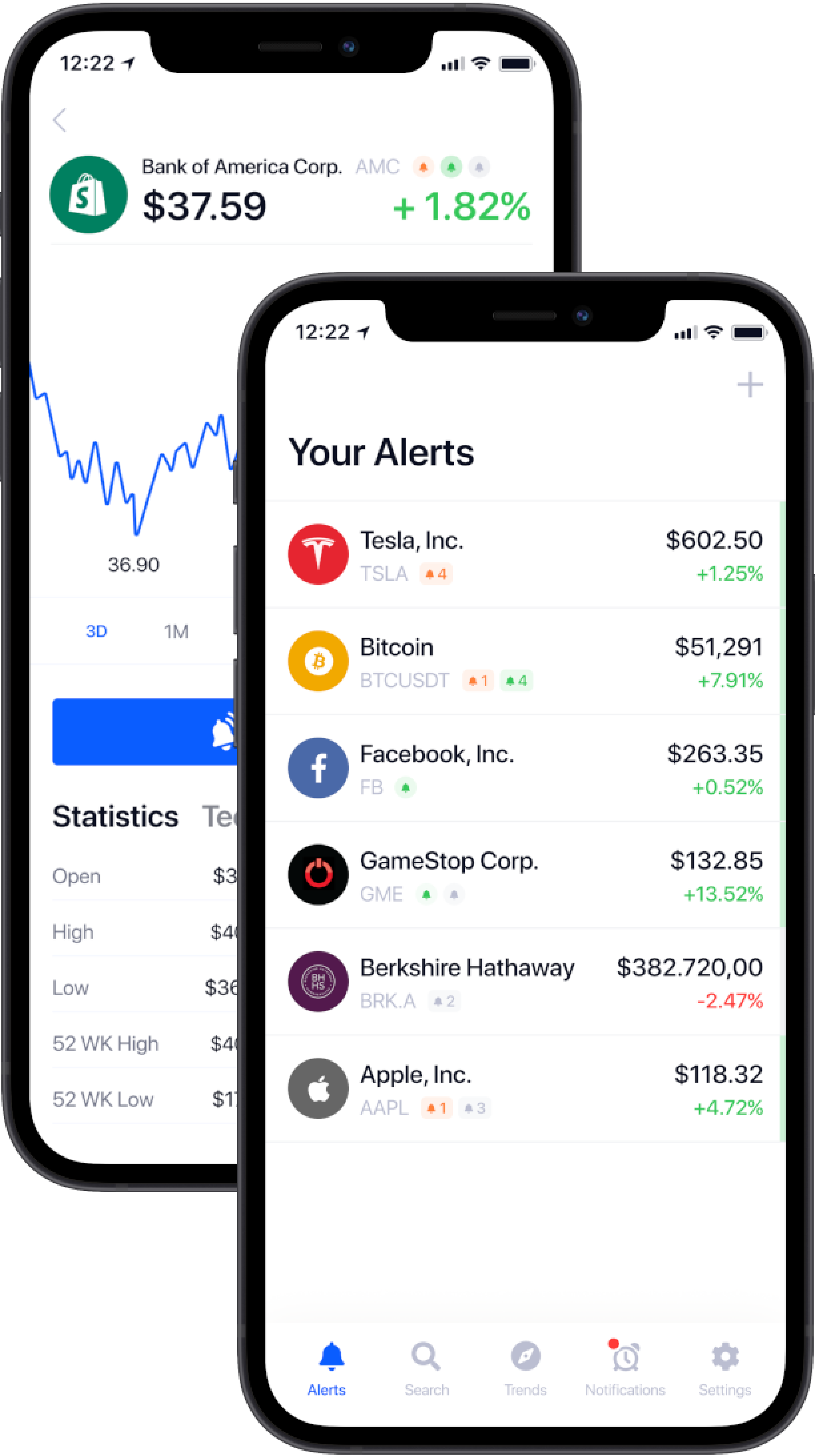
Stock alerts are automated messages that notify you about important market events. Alerts can be based on:
Price targets (e.g., stock hits $150)
Percentage movements (e.g., up/down 5%)
Volume spikes
News or earnings releases
Technical indicators (e.g., moving average crossover)
These notifications help investors make faster decisions and manage portfolios without constant screen monitoring. According to research from the U.S. Securities and Exchange Commission (SEC), informed decision‑making reduces emotional trading and supports better long‑term outcomes.
How Market Notifications Work
Stock alert systems rely on real‑time market data feeds provided by exchanges like the New York Stock Exchange (NYSE) and NASDAQ. These feeds power alerts via:
Push notifications
Email alerts
SMS messages
In‑app banners
Apps may use proprietary algorithms or integrate with technical indicators (like RSI, MACD, Bollinger Bands) to trigger alerts.
Top U.S. Stock Alert Apps (2026)
Here is an in‑depth look at popular stock alert and notification tools used by U.S. investors:
1. Yahoo Finance
Real‑time price alerts
Earnings & news alerts
Custom watchlists
Great for beginners & intermediate investors
Official site: https://finance.yahoo.com/
2. TradingView
Advanced technical alerts (trendlines, indicators)
Cross‑platform notifications
Ideal for active traders
Official site: https://www.tradingview.com/
3. MarketWatch
Personalized price & news alerts
Market insights
U.S. focused
Official site: https://www.marketwatch.com/
4. E*TRADE Mobile
Integrated with trading account
Price alerts, news alerts, options notifications
Suitable for active traders
Official site: https://us.etrade.com/
5. Thinkorswim by TD Ameritrade
Professional‑grade alerts & scanners
Custom strategies for alerts
Best for advanced traders
Official site: https://www.tdameritrade.com/tools‐and‐platforms/thinkorswim.page
Comparison Table: Features & Pricing
| App / Feature | Price Alerts | News Alerts | Technical Alerts | Real‑time Quotes | Cost | Best For |
|---|---|---|---|---|---|---|
| Yahoo Finance | ✔️ | ✔️ | ❌ | ✔️ | Free / Premium | Beginners |
| TradingView | ✔️ | ✔️ | ✔️ | ✔️ | Free / Pro | Traders |
| MarketWatch | ✔️ | ✔️ | ❌ | ✔️ | Free | Casual |
| E*TRADE Mobile | ✔️ | ✔️ | ✔️ | ✔️ | Based on account | Active |
| Thinkorswim | ✔️ | ✔️ | ✔️ | ✔️ | Free w/ account | Advanced |
Benefits of Using Alerts
🚀 Faster Decision‑Making
Real‑time alerts help you act immediately on market movements.
📊 Better Risk Management
You can set stop‑loss and take‑profit notifications to manage downside risk.
⏱ Time Savings
Automates continuous monitoring—ideal for busy investors.
📈 Improved Discipline
Alerts remove emotions from trading decisions by sticking to predefined triggers.
Risks & Limitations
⚠️ Even the best apps can’t predict the market. They notify, but you decide. Over‑reliance on alerts without strategy can lead to impulsive trades or missed context.
Many apps require internet connectivity and may have latency delays during high volatility.
Always cross‑reference alerts with official exchange data from sources such as:
NYSE official data — https://www.nyse.com/markets
NASDAQ market activities — https://www.nasdaq.com/
Which Is Right for You?
📌 Beginner Investor
Choose apps with simple price and news alerts:
Yahoo Finance
MarketWatch
📌 Intermediate Trader
Need technical alerts plus news?
TradingView
E*TRADE Mobile
📌 Advanced Trader / Active Day Trader
Require complex scanners and alert rules:
Thinkorswim
💡 Tip: Test free versions first, then upgrade to premium only if alert capabilities match your goals.
How to Get Started
Download the app from official sources (App Store / Google Play).
Set up a watchlist of stocks you care about.
Configure alert types — price levels, news, technical signals.
Test alert delivery (push, email, SMS).
Monitor and adjust based on your investing style.
👉 Pro Tip: Pair your alerts with a portfolio tracking tool for consolidated performance monitoring.
Author Bio
Azka – Financial Enthusiast
Azka is a financial writer and market analyst who helps everyday investors understand investing tools, platforms, and strategies. With a passion for empowering readers with actionable insights, Azka blends research, sector expertise, and real‑world experience to make financial topics accessible and trustworthy.
Risk Disclaimer
📌 Investing always involves risk. The content above is informational and not financial advice. Prices, features, and offerings can change. Please consult a licensed financial professional before making investment decisions. Past performance does not guarantee future results.
Call to Action
👉 Ready to compare providers and maximize your alert setup?
Compare investment platforms and check current rates to choose the plan that fits your goals.